How to Use Claude via GitHub Copilot for Free: Step-by-Step Guide
Claude Code is a powerful coding assistant that works seamlessly with GitHub Copilot and other AI providers. With the right setup, you can use Claude (and even additional free AI models) via GitHub Copilot’s environment—paying only once for Copilot, then integrating Claude, OpenRouter, Gemini, and more at no extra cost.
This guide will show you exactly how to install, configure, and run everything step by step.
1. Installation
We’ll install three key components:
- Claude Code for coding assistance
- Claude Code Router for model routing
- LM Proxy VSCode Extension to link VSCode with GitHub Copilot and Claude
Step 1: Install Claude Code
Open your terminal and run:
npm install -g @anthropic-ai/claude-code
Step 2: Install Claude Code Router
Install the router to handle multiple providers:
npm install -g @musistudio/claude-code-router
Step 3: Install LM Proxy for VSCode
- VSCode Marketplace: LM Proxy
- GitHub Repository: Claude Code Router
This extension links GitHub Copilot with external AI models using OpenAI and Anthropic-compatible APIs. It also uses VSCode’s Language Model API (LM API) to bridge GitHub Copilot and Claude.
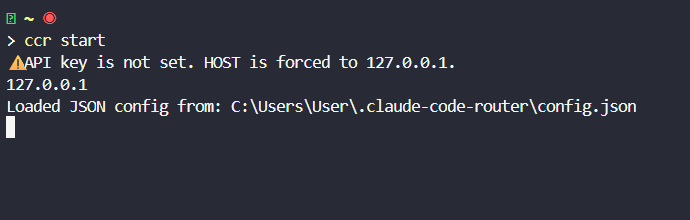
After installation, start the Claude Code Router:
ccr start
Open the Config File
On Windows, open:
CTRL+CLICK C:\Users\User\.claude-code-router\config.json
On macOS/Linux:
~/.claude-code-router/config.json
2. Configuration
Inside config.json, define all providers (Copilot Proxy, OpenRouter, Gemini) and models.
Here’s a ready-to-use config example:
{
  "LOG": true,
  "API_TIMEOUT_MS": 600000,
  "HOST": "127.0.0.1",
  "PORT": 3456,
  "transformers": [],
  "Providers": [
    {
      "name": "openrouter",
      "api_base_url": "https://openrouter.ai/api/v1/chat/completions",
      "api_key": "sk-your-openrouter-key",
      "models": ["qwen/qwen3-coder:free"],
      "transformer": {"use": ["openrouter"]}
    },
    {
      "name": "gemini",
      "api_base_url": "https://generativelanguage.googleapis.com/v1beta/models/",
      "api_key": "ai-your-gemini-key",
      "models": ["gemini-2.5-flash", "gemini-2.5-pro"],
      "transformer": {"use": ["gemini"]}
    },
    {
      "name": "copilot-proxy",
      "api_base_url": "http://localhost:4000/openai/v1/chat/completions",
      "api_key": "dummy-key",
      "models": [
        "vscode-lm-proxy",
        "gpt-4.1",
        "gpt-4o",
        "gpt-5-mini",
        "grok-code-fast-1",
        "claude-sonnet-4"
      ],
      "transformer": {"use": ["anthropic"]}
    }
  ],
  "Router": {
    "default": "copilot-proxy,grok-code-fast-1",
    "background": "copilot-proxy,grok-code-fast-1",
    "think": "copilot-proxy,grok-code-fast-1",
    "longContext": "copilot-proxy,grok-code-fast-1",
    "longContextThreshold": 250000,
    "webSearch": "copilot-proxy,grok-code-fast-1"
  },
  "stream": true
}
Key Points:
- Copilot Proxy: Connects GitHub Copilot to Claude and others.
- OpenRouter: Free models like
qwen/qwen3-coder:free. - Gemini: Free Google AI credits for
gemini-2.5-flash. - Router: Controls which models handle tasks.
For reference, see config.example.json.
3. Running Claude via GitHub Copilot
After configuration, run:
ccr code
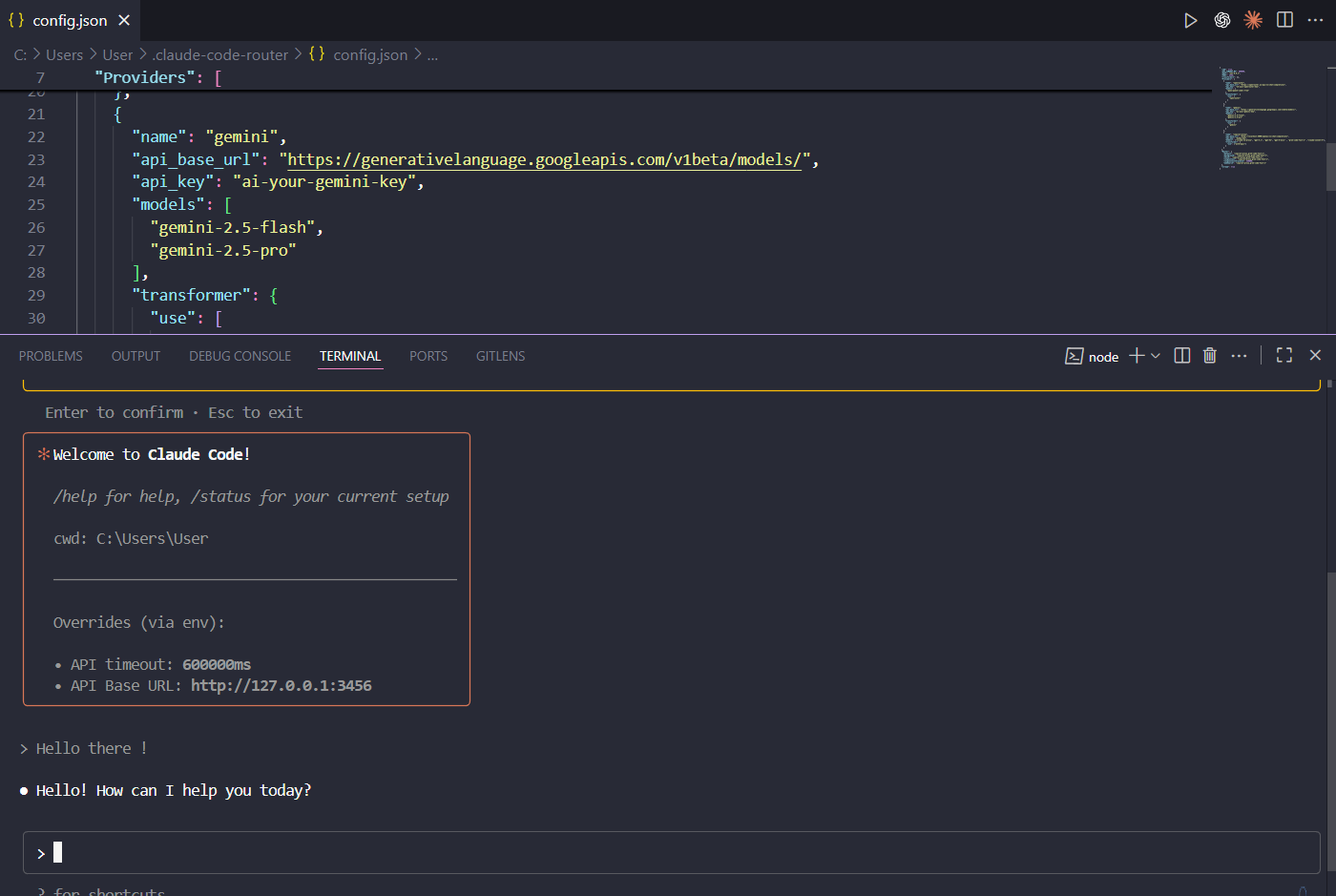
Then in VSCode:
- Enable LM Proxy
- Connect to
http://127.0.0.1:3456
Now GitHub Copilot can call Claude and other free models under one setup.
4. Pay Once, Get Two Choices
By paying only for GitHub Copilot, you can:
- Use Claude for free via Copilot Proxy
- Add free models from OpenRouter or Gemini
So you pay for Copilot once but get multiple AI assistants in one workflow.
5. Tips for Free Usage
- OpenRouter: Access free AI models like
qwen/qwen3-coder:free. - Gemini API: Free credits for new users.
- Copilot Proxy: Use local or custom models with Claude.