Before you begin
🧠 Imagine of Deployment Process:

🎯 Scenario:
1. ⚙️ Manual Deployment Steps
- Add, commit, and push your code to the repository (GitLab).
- SSH into your server.
- Pull the source code to ensure it is up-to-date.
- Stop and restart the application.
- Conduct testing and verification.
- Follow additional steps as necessary.
 📉 All these steps are handled by humans.
2. 🚀 Auto Deployment Steps
- Add, commit, and push your code to the repository (GitLab).
- CI: will auto handle build images, test.
- CD: Will automatic deployment to server.
 📈 All these steps are handled by system (CI/CD).
🧪 What is CI and CD?
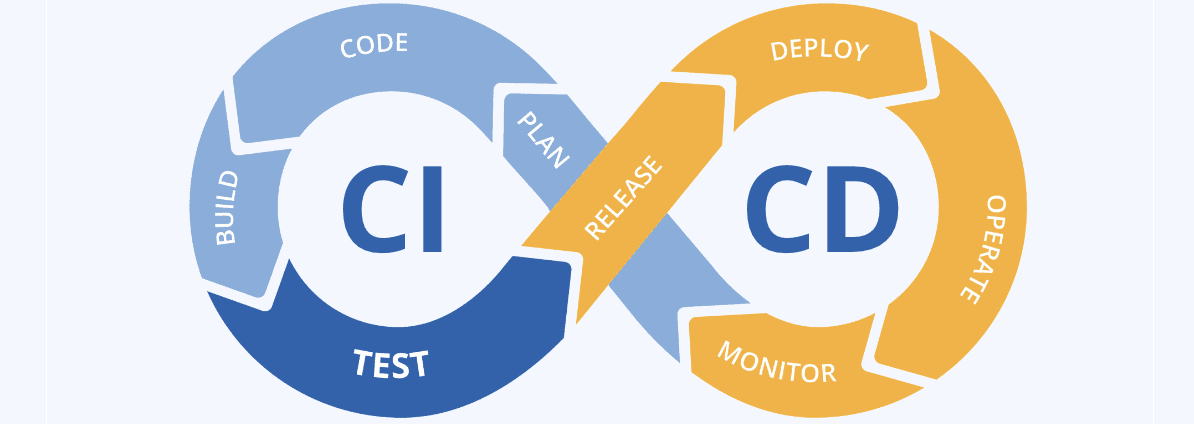
CI/CD Pipeline ensures that each code change, whether introducing new features or fixing bugs, seamlessly integrates into the existing application and deploys continuously and automatically for end-users. This automation streamlines development processes, promotes consistency, and speeds up the delivery of software innovations.
💡 Understanding CI/CD Concepts
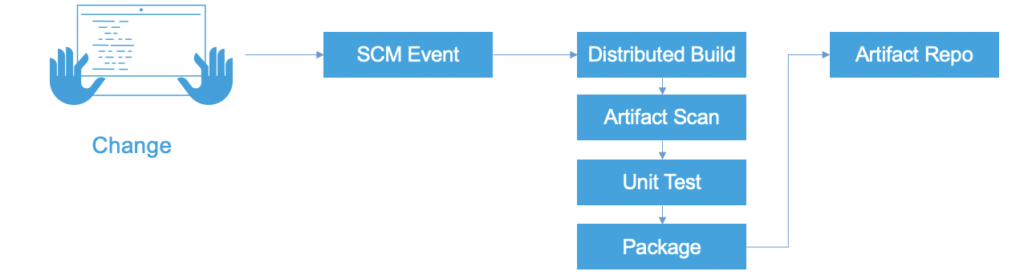
⚙️ Continuous Integration (CI): Automates code integration from multiple developers into a shared repository, running tests to catch issues early.
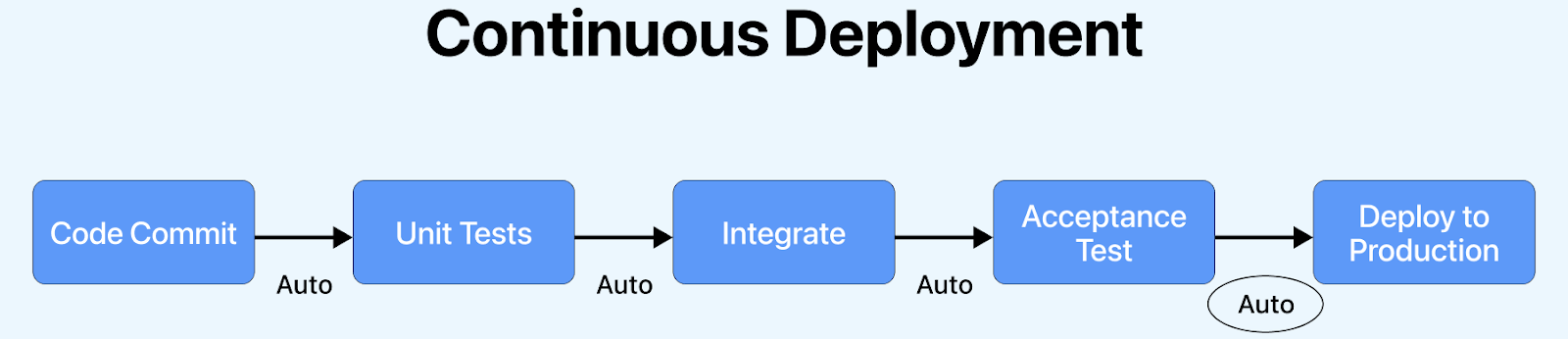 🚀 Continuous Deployment (CD): Automatically deploys every code change to production after passing tests.
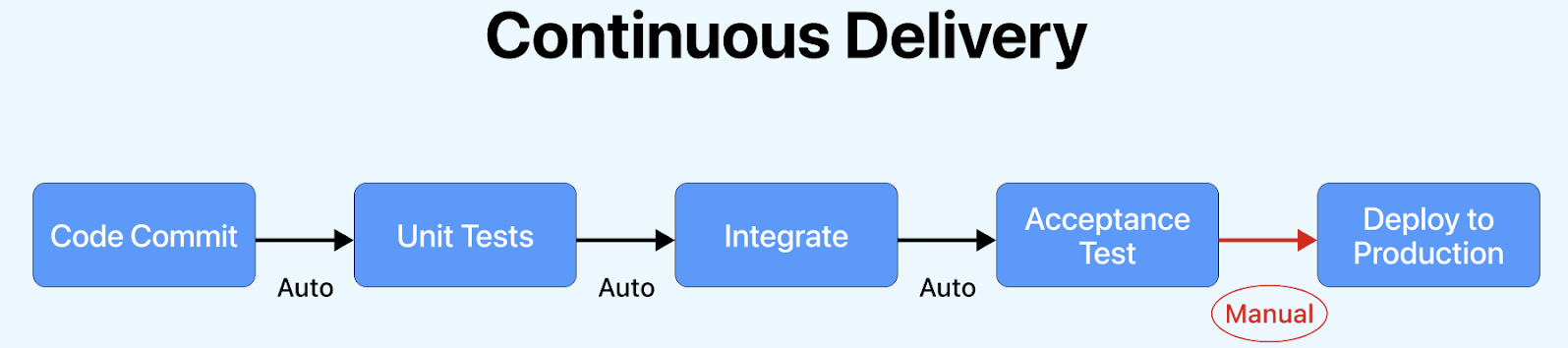 📦 Continuous Delivery (CD): Ensures code is always in a deployable state but requires manual approval for production deployment.
⭐ Benefits
CI/CD benefits include faster time-to-market, improved code quality through automated testing, reduced risk of bugs and deployment failures, increased development team efficiency and collaboration.

🔥 Popular CI/CD tools:
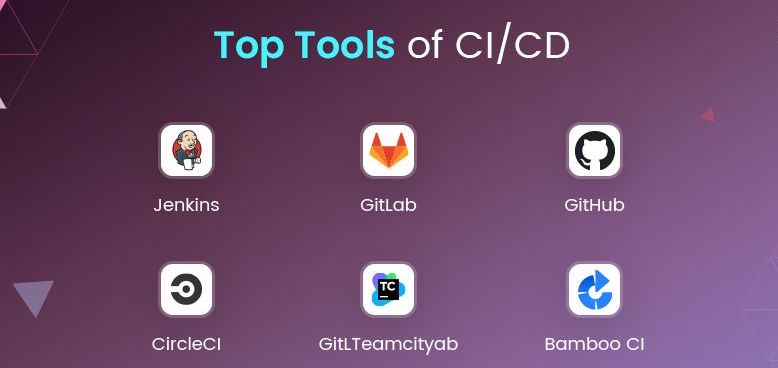 ⚡️ CI and CD is essential to know!!! Every company deploys software in an automated fashion using CI and CD.
Congratulations 🥳🙌🎉

🏆 Conclusion
Now you have learned the basics of CI and CD. I hope you enjoy this article. If you have any questions, please leave your comment below 💬.
Cheer 🥂👏🍾
👇 Last but not least
🤖 Continuous improvement is better than delayed perfection.