Before we get started
👇 Topics and Purpose for Beginners Starting to Learn IT.
🎯 10 minutes for achieving the GitLab Basic.
⚡ Source Code Sharing
As a junior university student, I face the challenge of sharing a project assignment without copying it or sending it as a file.

There are many effective ways to solve that problem 💡. Below are some of the most popular tools:
- 🦊 GitLab
- 👾 GitHub
- 🗑️ Bitbucket
🧪 What is Gitlab?
GitLab Self-Hosted is the on-premises version of GitLab, allowing organizations to install and run GitLab on their own servers or cloud infrastructure. It offers the same core features as GitLab.com, but with full control over the system, data, and custom configurations.
🎯 Key Features
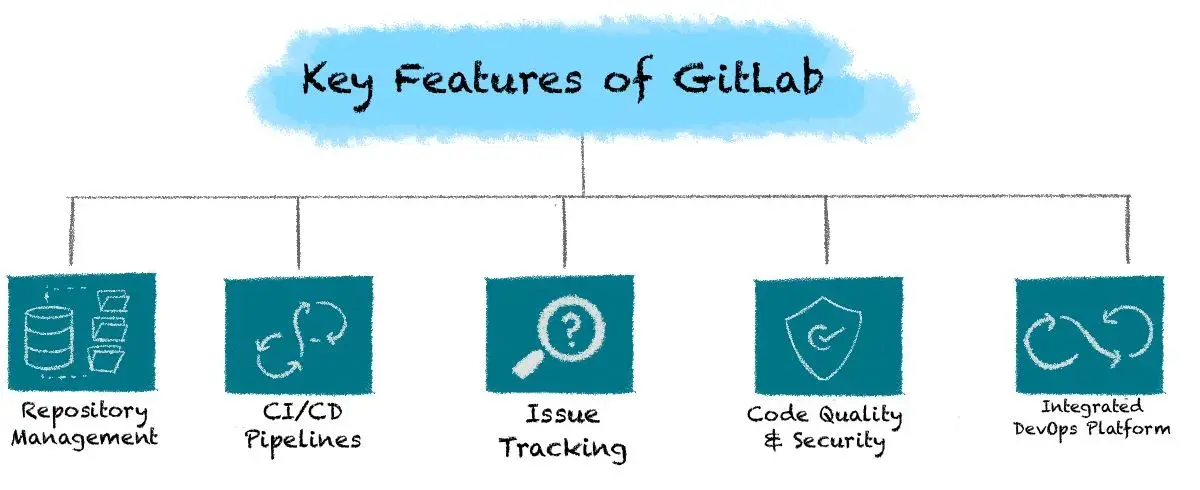
- Source Code Management (SCM): Git repositories with Git-based version control.
- CI/CD Pipelines: Automate building, testing, and deploying code.
- Project Management: Issues, milestones, boards, and wikis.
- Custom Runners: Use your own GitLab CI runners for build jobs.
- Webhooks & API: Integration with other tools and automation.
📦 How does it work?
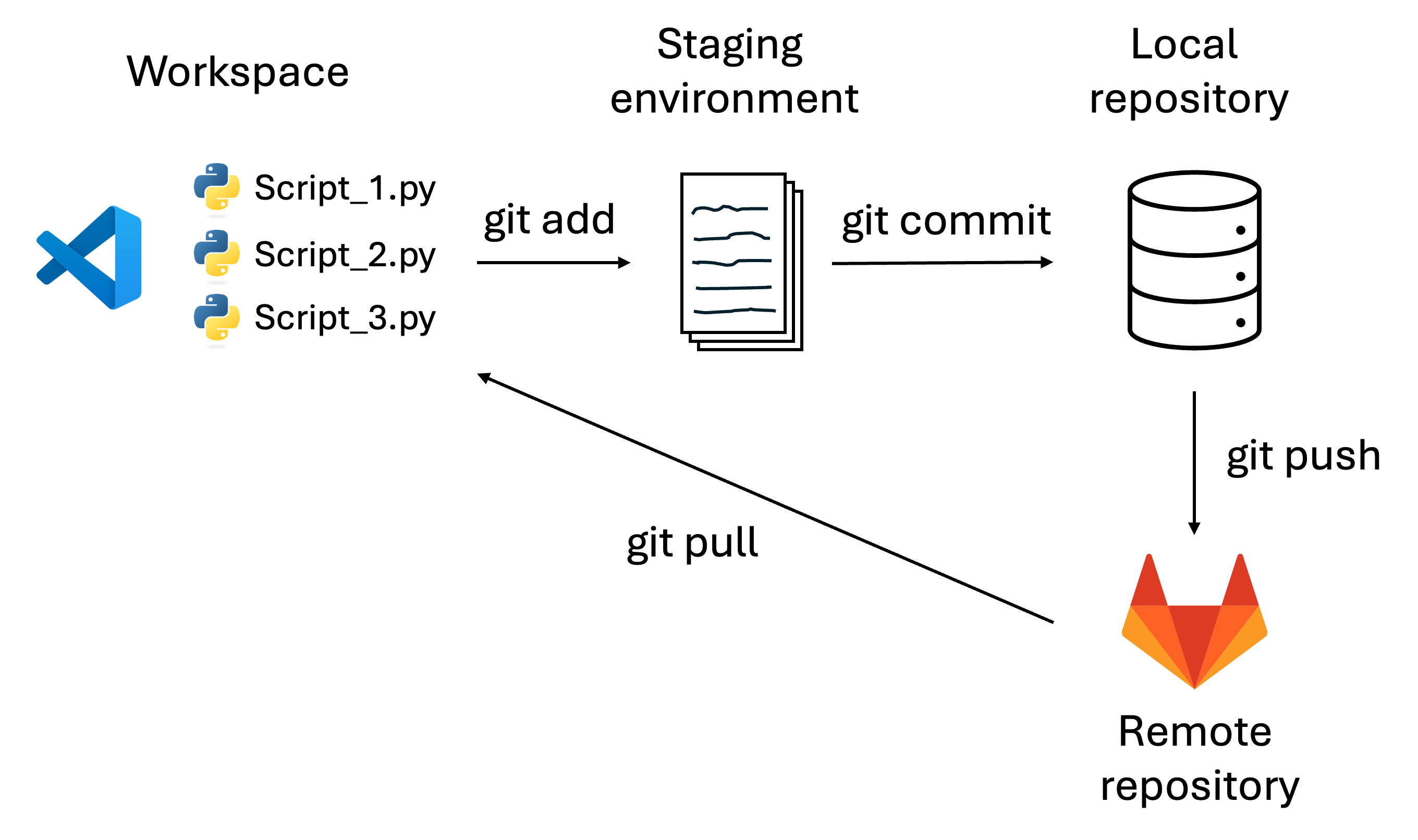
Here are a few commands you can use with GitLab:
- git add: add changes from your working directory.
- git commit: Saves the staged changes into your local repository's history.
- git push: Uploads your local commits to a remote repository.
- git pull: Downloads changes from a remote repository.
Congratulations 🥳🙌🎉

Conclusion
Now you have learned the basics of Source Code Management with GitLab. I hope you enjoy this article.
Cheer 🥂👏🍾
👇 Last but not least
🧠 In GitLab, everyone contributes — that’s how great software is born.